Scrapling vs Scrapy is a common question for Python developers planning a new scraping project. Both are open-source, both use familiar CSS and XPath selectors and both can crawl entire sites, yet they start from different philosophies. This comparison looks at how each handles fetching, dynamic pages, selector maintenance and scale, so you can choose with confidence.
Two Different Starting Points
Scrapy is a long-established crawling framework built around an asynchronous engine, with pipelines, middlewares and a large plugin ecosystem. It excels at structured, high-volume crawls where you control every stage of the request and item lifecycle.
Scrapling brings fetching, stealth browsers, parsing, adaptive tracking and spiders into one package. Its goal is to make common scraping tasks quick to write while still offering a spider framework for larger jobs.
Feature Comparison
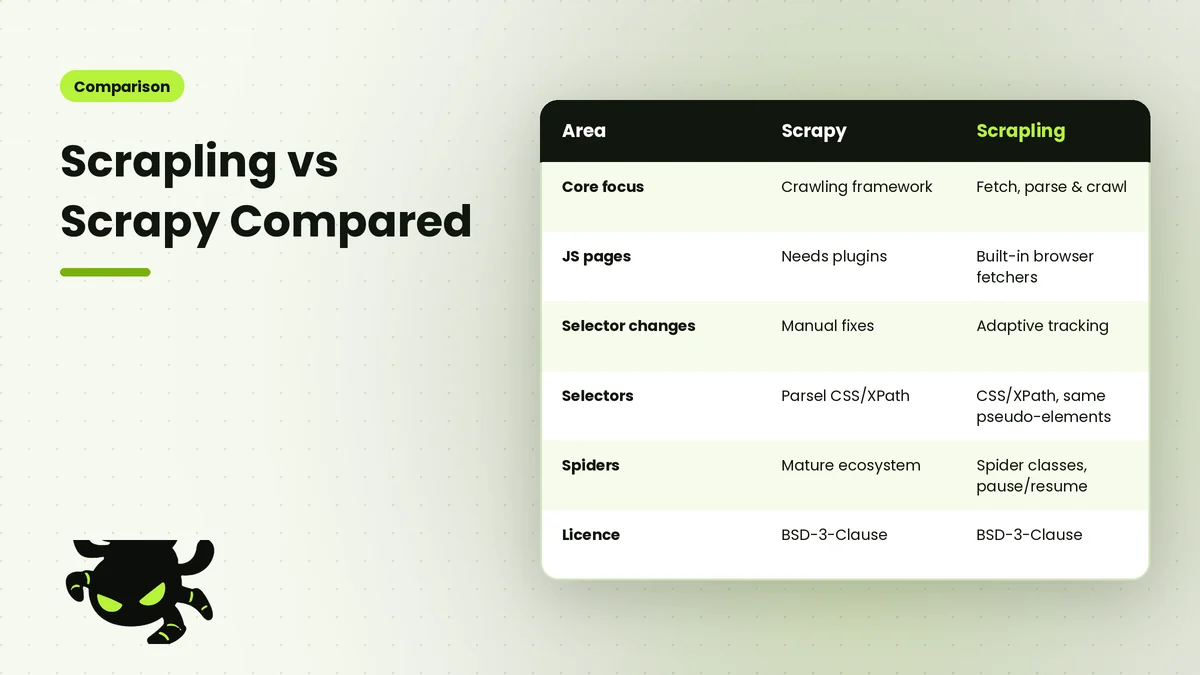
The table below summarises the main differences in practical terms. Some Scrapy capabilities come from its plugin ecosystem rather than the core package.
| Area | Scrapy | Scrapling |
|---|---|---|
| Core focus | Crawling framework with pipelines and middlewares | Fetching, parsing and crawling in one library |
| JavaScript pages | Usually via add-ons such as browser integrations | Built-in browser fetchers and sessions |
| Selector maintenance | Selectors updated manually after changes | Optional adaptive element tracking |
| Selector syntax | CSS and XPath through Parsel | CSS and XPath with the same pseudo-elements |
| Crawling | Mature spiders, scheduler and extensions | Spider classes with concurrency and pause/resume |
| Quick one-off scripts | Possible but structured for projects | Very short scripts with Fetcher |
| Licence | BSD-3-Clause | BSD-3-Clause |
Fetching and Dynamic Content
Scrapy downloads pages through its own HTTP engine, which is efficient for static sites. Rendering JavaScript typically means adding an integration that connects Scrapy to a browser, along with the configuration that brings.
Scrapling offers both paths in the same API. Fetcher handles static pages with browser-like TLS fingerprints, while StealthyFetcher and its sessions render JavaScript pages, so switching approaches rarely means rewriting extraction code.
Selectors and Maintenance
Developers coming from Scrapy will feel at home with Scrapling's selectors. Scrapling uses the same ::text and ::attr() pseudo-elements familiar from Scrapy and Parsel, so many expressions carry over unchanged.
The bigger difference is what happens after a site redesign. Scrapling's adaptive tracking can store element fingerprints with auto_save=True and later relocate similar elements with adaptive=True, which can reduce maintenance on long-running scrapers.
Crawling at Scale
Scrapy's crawling stack is battle-tested. Its scheduler, item pipelines, middlewares and extensive extension ecosystem make it a strong fit for large, complex crawls that need custom processing at many stages.
Scrapling's spider framework covers the core needs of multi-page jobs. It supports concurrency settings such as concurrent_requests, pause and resume through a crawl directory, streaming, AutoThrottle, robots.txt compliance and exports to JSON, JSONL, CSV and XML.
Spider Code Side by Side
The two spider styles look similar at first glance. Both define a name, start URLs and a parse method that yields items.
# Scrapling spider
from scrapling.spiders import Spider, Response

class QuotesSpider(Spider):
    name = "quotes"
    start_urls = ["https://quotes.toscrape.com"]

    async def parse(self, response: Response):
        for quote in response.css("div.quote"):
            yield {"text": quote.css("span.text::text").get("")}
Scrapy spiders follow a very similar shape but usually live inside a generated project with settings, pipelines and a command-line runner. Scrapling spiders can run from a plain script by calling start().
Learning Curve
Scrapy rewards investment. Its project structure and many concepts take time to learn, but they pay off on large engagements with many spiders and processing stages.
Scrapling is quicker to start with. A working scraper can be a handful of lines, and the same library scales up to spiders, browsers and AI integrations when you need them.
Ecosystem and Integrations
Scrapy's years of use have produced a broad range of extensions, deployment tools and community answers. If your project depends on a specific Scrapy plugin, that ecosystem may decide the matter.
Scrapling focuses on modern needs out of the box. It includes an MCP server for AI assistants, an Agent Skill for coding agents, a Docker image with browsers and command-line extraction tools.
Which One Should You Choose
The right answer depends on the project rather than on either tool being universally better. These guidelines cover the most common situations.
- Choose Scrapling for quick scripts, JavaScript-heavy pages and scrapers that must survive layout changes
- Choose Scrapling when you want AI assistant integration through MCP
- Choose Scrapy for very large crawls that need custom pipelines and middlewares
- Choose Scrapy when your team already relies on its plugins and deployment tooling
- Consider both together when Scrapling's parser suits extraction inside an existing workflow
Using Both Tools Together
Choosing one framework does not rule out the other. Some teams keep Scrapy for established crawls and use Scrapling's Selector for parsing tricky pages, or reach for Scrapling's browser fetchers when a single section of a site depends on JavaScript.
Mixing tools works best with clear boundaries. Decide which library owns fetching and which owns parsing, keep the selector logic in one place and document the reasoning so future maintainers understand the split.
- Use Scrapling's parser on HTML that Scrapy already downloaded
- Prototype a target quickly with Scrapling before committing to a larger design
- Keep shared selectors in a single module to avoid drift
Frequently Asked Questions
Is Scrapling a replacement for Scrapy?
Not necessarily. Scrapling covers many of the same tasks with a more integrated approach, but Scrapy's mature ecosystem remains valuable for complex crawling projects.
Can I reuse Scrapy selectors in Scrapling?
Often, yes. Scrapling supports CSS and XPath with the same pseudo-elements used by Scrapy and Parsel, so many selectors work without changes.
Which is easier for beginners?
Scrapling usually has a gentler start because a scraper can be a short script. Scrapy introduces more structure up front, which helps on larger projects.
Conclusion
Scrapling vs Scrapy is less about a winner and more about fit. Scrapling suits developers who want fetching, stealth browsers, adaptive selectors and spiders in one approachable package, while Scrapy remains a strong choice for heavily customised, large-scale crawling. To try Scrapling quickly, follow the how to use Scrapling tutorial.