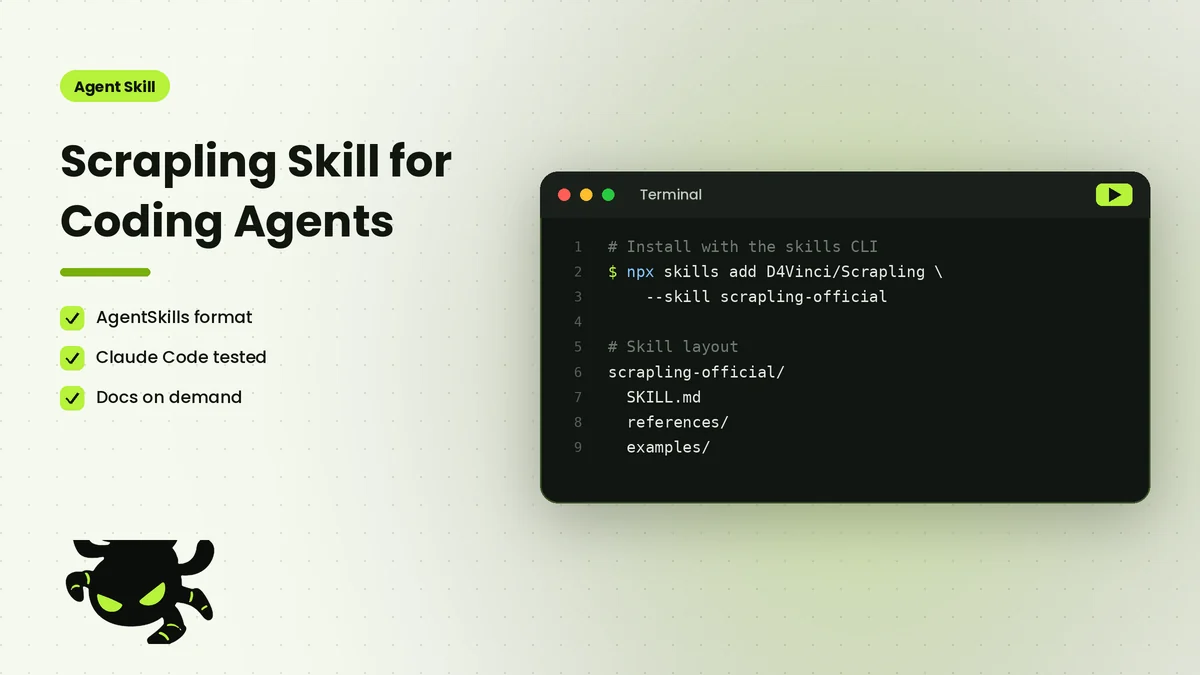
Scrapling skill support gives coding agents an accurate, up-to-date picture of the library's API. Language models often remember older parameter names or invent methods that do not exist, and the official Agent Skill addresses that problem by packaging current documentation and examples in a format agents can load on demand. This article covers what the skill includes and how to install it.
What an Agent Skill Is
An Agent Skill is a folder of instructions and reference material that an AI coding agent reads when a task calls for it. Instead of loading everything at once, the agent starts with a short entry file and pulls in deeper references only when they become relevant.
The Scrapling skill follows the AgentSkills specification, so it should work with agentic tools that read that format. The official documentation names Claude Code and OpenClaw as the agents the authors tested it on.
What the Scrapling Skill Contains
The skill is organised so an agent can find the right information quickly. Each part has a clear role in guiding the agent toward correct, modern Scrapling code.
| Part | Purpose |
|---|---|
SKILL.md | Entry point covering setup, fetcher selection and safety rules |
references/ | Markdown versions of the docs for parsing, fetching, spiders, the MCP server and integrations |
examples/ | Ready-to-run scripts the agent can adapt |
One of the documented safety rules is passing --ai-targeted to CLI commands. Rules like this keep the agent's commands aligned with the authors' recommendations instead of improvised habits.
Installing with skills.sh
The quickest route uses the skills command-line tool through npx. It detects the agents installed on your machine and adds the skill to each of them.
npx skills add D4Vinci/Scrapling --skill scrapling-officialYou need Node.js available for npx to run. After installation, restart or reload your agent so it discovers the new skill.
Installing with Clawhub
OpenClaw users can install the same skill through Clawhub. The package name matches the one used with skills.sh.
Using the same package name across installers makes the skill easy to recognise in different tools. Whichever route you choose, the agent receives the same SKILL.md, reference documents and examples, so the generated code should follow the same conventions.
clawhub install scrapling-officialInstalling Manually
Manual installation works for any agent that reads AgentSkills folders. Download the skill archive from the repository and extract it into your agent's skills directory.
- Download
Scrapling-Skill.zipfrom theagent-skillfolder in the D4Vinci/Scrapling repository - Extract it into the agent's skills directory
- For Claude Code, the directory is
~/.claude/skills/ - Restart the agent so the skill is detected
Manual installs do not update themselves. Repeating the download after major Scrapling releases keeps the references aligned with the library.
How Agents Use the Skill
Once installed, the skill becomes relevant whenever you ask the agent for scraping work. A request such as writing a spider for a product catalogue prompts the agent to read SKILL.md, choose a suitable fetcher and consult the parsing or spider references as needed.
The result is code that uses real class names such as Fetcher, StealthyFetcher and Spider, along with the current selector syntax. You still review and run the code yourself, but the starting point is far more reliable than an agent working from memory alone.
Example Prompt
A clear prompt helps the agent apply the skill well. Describing the target, the data fields and any constraints gives it enough context to pick the right approach.
Using Scrapling, write a spider that collects every quote and author
from https://quotes.toscrape.com, follows pagination and saves the
results to quotes.json.
Skill Compared with the MCP Server
The skill and the MCP server solve different problems, and many developers use both. The skill teaches an agent to write Scrapling code, while the MCP server lets an assistant perform scraping actions directly during a conversation.
| Capability | Agent Skill | MCP server |
|---|---|---|
| Writes Scrapling code for you | Yes | Not its main purpose |
| Fetches pages live in a chat | No | Yes |
Requires the scrapling[ai] extra | No | Yes |
| Works offline after install | Yes | Needs network for requests |
Good Practices When Using the Skill
An agent with good references still benefits from clear boundaries. Keeping a few habits in place makes the generated scrapers safer and easier to maintain.
- Review generated code before running it against real websites
- Test against public practice sites before targeting production pages
- Ask for rate limits and robots.txt compliance where appropriate
- Keep the skill updated after significant library releases
- Pin your Scrapling version so code and references match
Keeping Agent Output Reviewable
Even a well-informed agent can misread a website or choose a heavier fetcher than a page needs. Asking it to explain why it picked Fetcher, StealthyFetcher or a spider makes the reasoning visible and gives you a chance to adjust before any request is sent.
Small, testable steps also help. Request a scraper that prints a handful of results first, confirm the selectors match what you expect and only then ask the agent to add pagination, exports or scheduling.
- Ask for a short dry run that prints sample results
- Request comments explaining the fetcher and selector choices
- Add validation for fields such as prices, dates and URLs
- Keep generated scripts under version control so changes are easy to compare
Frequently Asked Questions
Is the Scrapling skill official?
Yes. It is published in the D4Vinci/Scrapling repository and documented in the official Scrapling documentation under the AI section.
Does the skill install Scrapling itself?
No. The skill provides instructions and references for the agent. You still install the library with pip or use the Docker image in the environment where the code runs.
Which agents support the skill?
Any agent that reads the AgentSkills format should be able to use it. The documentation states it was tested on Claude Code and OpenClaw.
Conclusion
Scrapling skill installation is a small step that noticeably improves how coding agents write scraping code. With SKILL.md, the reference documents and ready-to-run examples, an agent can choose the right fetcher and selector syntax instead of guessing. Pair it with the Scrapling MCP server when you also want live scraping inside a conversation.