Scrapling Claude integration lets Claude fetch web pages, drive a browser and extract content through Scrapling's MCP server, and it can also help Claude Code write accurate scraping code through the official Agent Skill. Both connections take only a few minutes. This article covers Claude Desktop, Claude Code, a Docker-based option and the habits that keep the setup safe.
Two Ways Scrapling Works with Claude
The MCP server gives Claude live tools during a conversation, such as making a request or taking a screenshot of a rendered page. The Agent Skill, by contrast, gives Claude Code the reference material it needs to write Scrapling scripts that you run yourself.
| Option | Best for | Requirement |
|---|---|---|
| MCP server | Live fetching and extraction in a chat | scrapling[ai] or the Docker image |
| Agent Skill | Writing Scrapling code with Claude Code | Skill installed in ~/.claude/skills/ |
Preparing the Environment
Install Scrapling with the AI extra in a virtual environment, then add the browser components so the browser tools can work.
python -m venv ~/.venv
source ~/.venv/bin/activate
pip install "scrapling[ai]"
scrapling install
which scrapling-mcp
The last command prints the full path to the server executable. Keep that path handy, because Claude may not inherit your virtual environment when it launches the server.
Connecting Claude Desktop
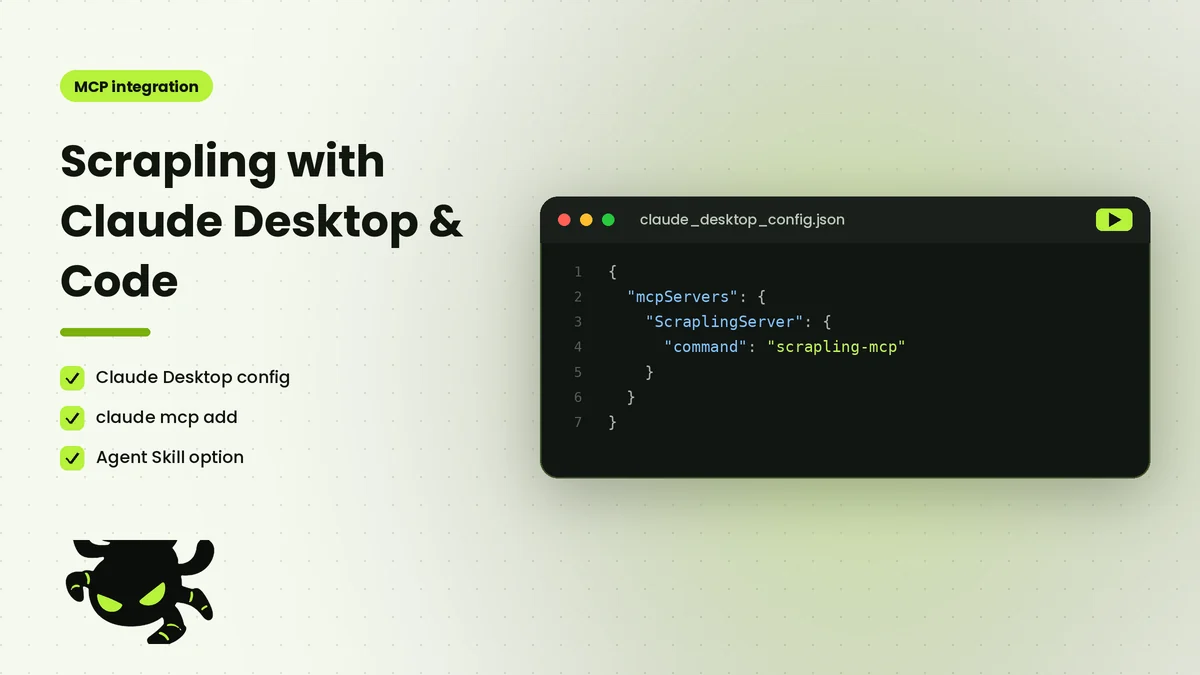
Claude Desktop reads MCP servers from its configuration file. Adding an entry named ScraplingServer with the scrapling-mcp command is all the official documentation requires.
{
  "mcpServers": {
    "ScraplingServer": {
      "command": "scrapling-mcp"
    }
  }
}
If Claude cannot find the command, replace scrapling-mcp with the full path printed earlier. Restart Claude Desktop afterwards so it starts the server and lists the new tools.
Using Docker with Claude Desktop
Running the server from the official container avoids a local installation. The documented configuration uses docker as the command with these arguments.
{
  "mcpServers": {
    "ScraplingServer": {
      "command": "docker",
      "args": ["run", "-i", "--rm", "pyd4vinci/scrapling", "mcp"]
    }
  }
}
Connecting Claude Code
Claude Code registers MCP servers from the terminal. The documentation shows the claude mcp add command with the absolute path to the executable inside your environment.
claude mcp add ScraplingServer "/Users/<MyUsername>/.venv/bin/scrapling-mcp"Replace the path with the output of which scrapling-mcp on your machine. Once added, Claude Code can call the Scrapling tools while it works on your tasks.
Installing the Scrapling Skill for Claude Code
The Agent Skill teaches Claude Code the library's current API. Installing it reduces outdated method names and guesswork in generated scrapers.
npx skills add D4Vinci/Scrapling --skill scrapling-officialFor a manual install, extract the skill archive from the repository into ~/.claude/skills/. The Scrapling skill article explains the folder layout and how Claude uses it.
What You Can Ask Claude to Do
With the server connected, plain-language requests are enough. Claude picks the appropriate tool, such as a quick HTTP request or a browser session, based on the task.
- Fetch a public documentation page and summarise the key changes
- Open a JavaScript-heavy page and list the product names it shows
- Take a screenshot to confirm what a page looks like after rendering
- Inspect network requests a page makes while loading
- Suggest CSS selectors for a set of elements you describe
Tools Claude Can Call
The server exposes seventeen tools. Commonly used ones include make_request, browser_fetch_once, browser_extract, browser_screenshot and browser_actions, along with tools for managing sessions and saving browser state.
Troubleshooting the Connection
Most connection issues come from paths and environments. Checking these points in order usually finds the cause quickly.
- The server command is not on the PATH Claude uses, so set an absolute path
- The configuration file contains invalid JSON, such as a trailing comma
- Browser components are missing, so run
scrapling installagain - Claude was not restarted after editing the configuration
- Docker is not running when using the container option
Using the Integration Responsibly
Claude acts on your instructions, so the same scraping etiquette applies as in your own scripts. Respect site terms, robots.txt directives and reasonable request rates, and avoid collecting personal information without a lawful basis.
Web pages can contain text designed to manipulate an assistant. Review the actions Claude proposes when it browses unfamiliar sites, and keep private accounts and credentials out of the sessions the server controls.
Choosing Between Local and Docker Setups
A local installation starts quickly and uses your existing Python environment, which makes it convenient for experiments. It does, however, depend on the correct virtual environment path being available to Claude.
The Docker option avoids path issues entirely because Claude starts a fresh container for each session. It needs Docker running in the background and uses more disk space, but it keeps the server isolated from the rest of your system.
| Setup | Advantages | Trade-offs |
|---|---|---|
Local scrapling-mcp | Fast start, simple debugging | Requires correct environment paths |
| Docker container | Isolated, browsers included | Docker must be running, larger download |
| Remote HTTP server | Shared by a team | Needs authentication and network care |
Frequently Asked Questions
Is Scrapling an official Claude integration?
Scrapling provides an MCP server and an Agent Skill that work with Claude, and its documentation includes the configuration steps. It is an open-source project maintained by its own author.
Do I need both the MCP server and the skill?
No. Use the MCP server for live fetching inside conversations and the skill for code generation in Claude Code. Many developers find the two complement each other.
Can I run the server remotely for Claude?
Yes. The server supports Streamable HTTP with scrapling-mcp --http, and the Docker image can host it with an authentication token.
Conclusion
Scrapling Claude setup takes a single configuration entry for Claude Desktop or one claude mcp add command for Claude Code, with Docker available when you prefer not to install locally. Add the Agent Skill for better generated code, keep paths absolute and review what Claude does on unfamiliar pages. For more on the server's capabilities, read the Scrapling AI overview.